
Operations system
The car is ready before the customer arrives
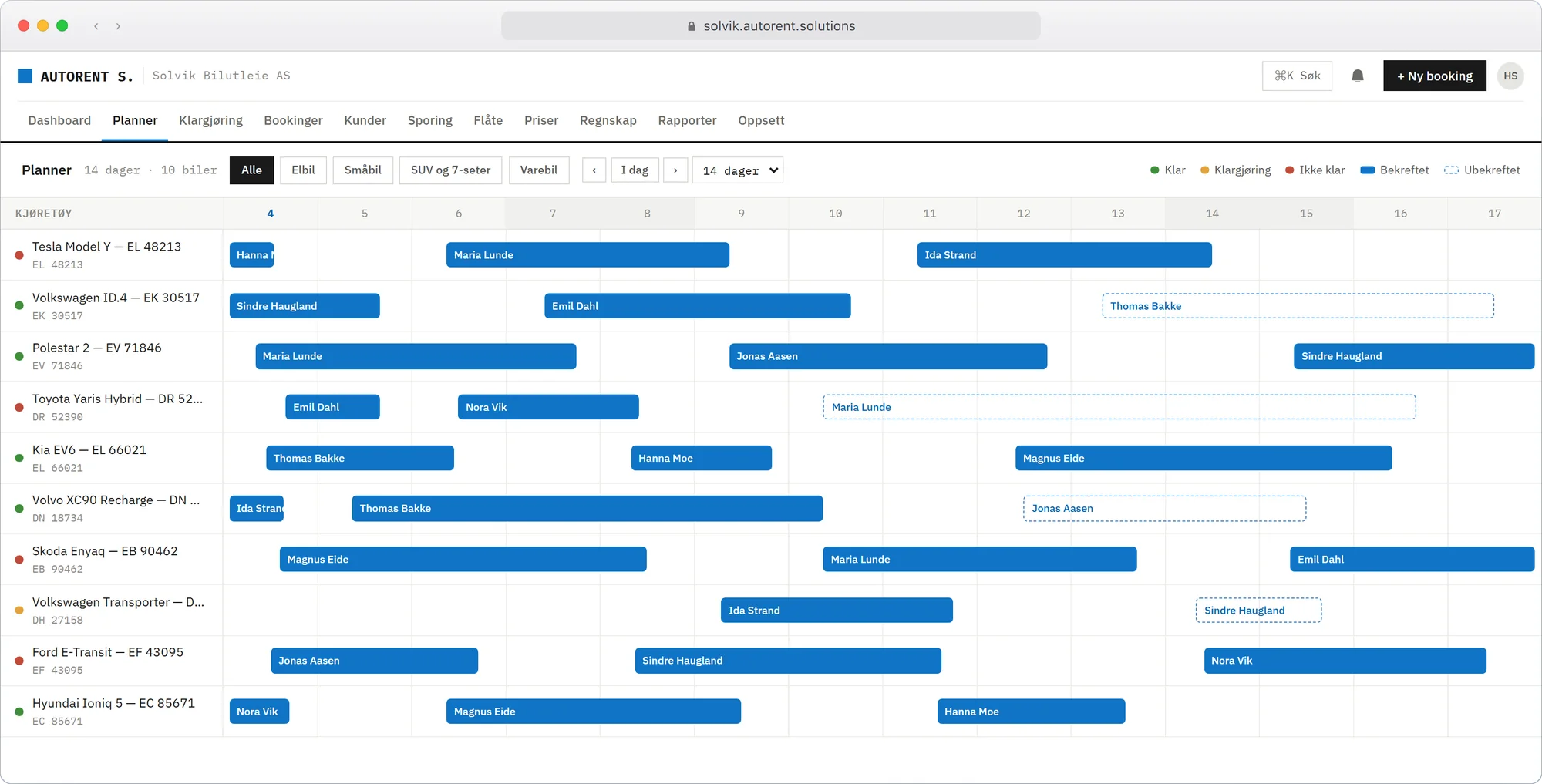
The planner shows every car and booking on a timeline. When a rental ends, the car goes to the prep queue – and only becomes available again once the checklist is done.
What you get
Planner & preparation
Fleet timeline
Every car and booking in one view. Spot gaps, overlaps and today's movements at a glance.
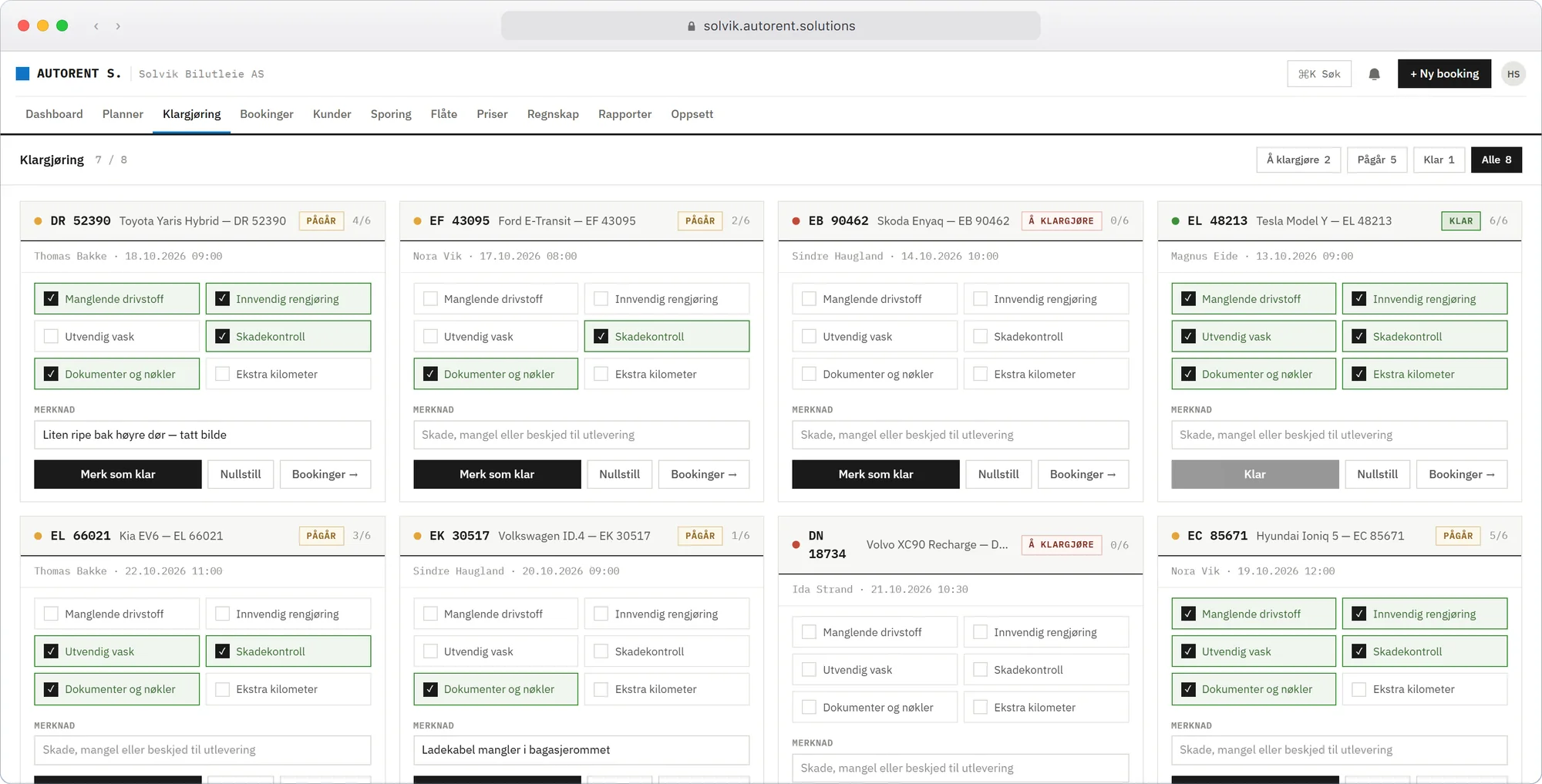
Checklists
Define what must be done before a car goes out again. Required items must be ticked.
Automatic queue
After a return the car goes straight to the prep queue, and leaves it when everything is done.
Remarks
Damage, a missing item or a note for the hand-over follows the car.
Mobile for the field
Log mileage, fuel and condition from the phone at hand-over and return.
A role for prep crews
The prep team sees the calendar and status – not prices or accounting.
Planning
See the week before it happens
Hand-overs and returns sit in the planner next to the preparation status. A green dot means the car can go out now.
- Today's movements on the dashboard
- Status per car: ready, needs prep, workshop
- Alerts when a car due out is not ready
Preparation
No car leaves before it is ready
Turn preparation on, and completed bookings set the car to "Needs prep" until the checklist is finished. The team sees the queue, ticks items and writes remarks.
- Your own checklists with required and optional items
- Complete manually when you need to
- A history of who did what
Works with
Integrations

Questions and answers
Planner & preparation
No. Preparation can be switched on or off. Without it, the car is available as soon as the booking ends.
Yes. The field view is made for phones, and the prep role only sees what it needs.
Related features
Fleet & pricing
Cars, price groups, availability and locations – with a price check before you promise anything.
Bookings & customers
Every reservation, customer and driver in one place – from request to return.
Dashboard & reports
Today's movements, utilisation, overdue rentals and revenue – on one dashboard.
Ready when you are
See Autorent Solutions with your own fleet
Book a 15-minute demo. No obligation.